How To Use TorqStudio: A Step-by-step Guide
TorqStudio is Alva's software suite for electric motor design and analysis. It allows engineers to create custom motor designs from high-level requirements, analyze those designs at defined operating points, and compare them directly with Alva’s standard motor portfolio. This article explains how to use TorqStudio step by step - from creating a motor to exporting analysis results and requesting a quote.
January 20, 2026

Overview of TorqStudio
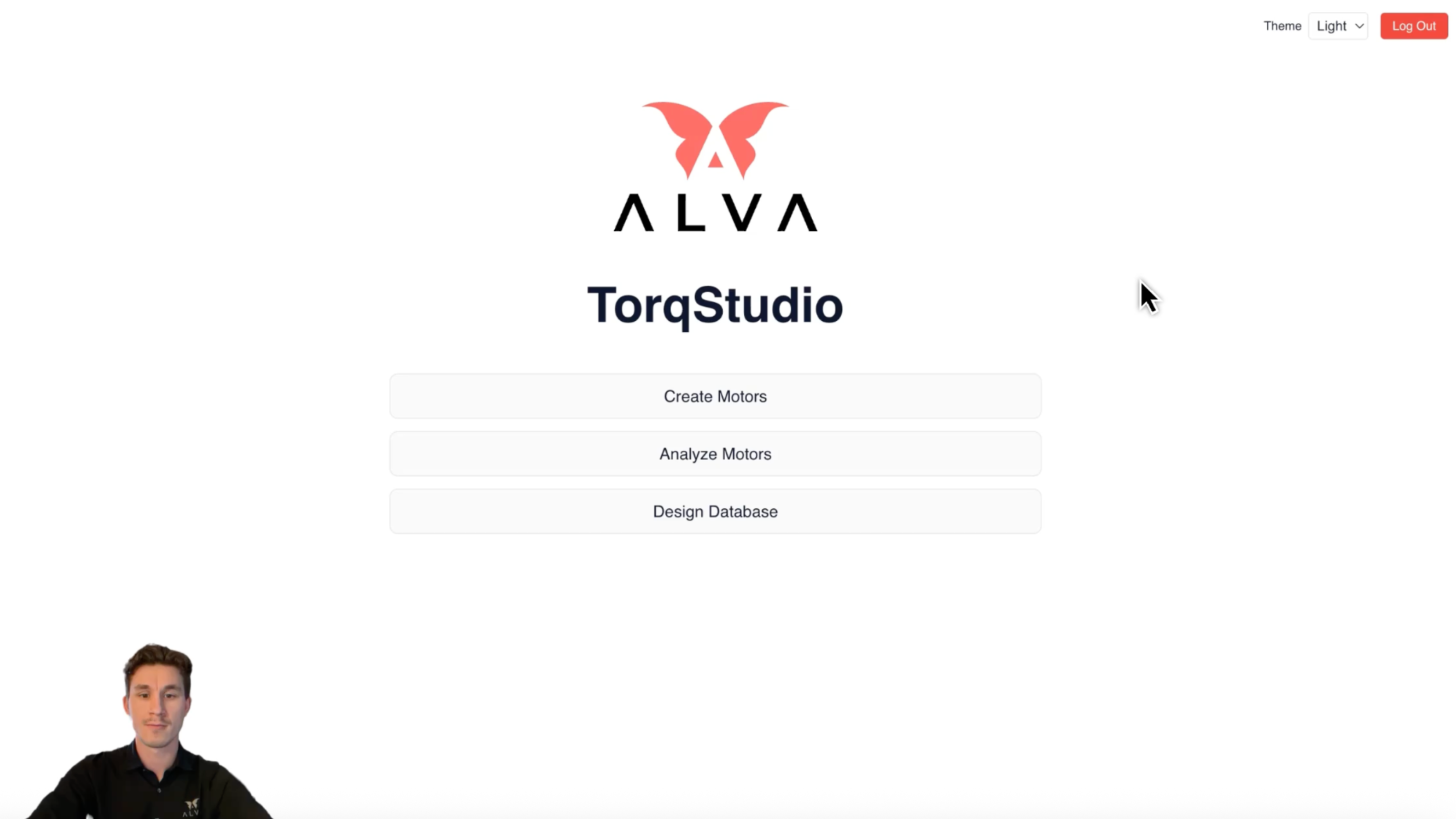
TorqStudio consists of three main functionalities:
- Create Motors - generate custom motor designs based on size constraints
- Analyze Motors - evaluate motor performance at specific operating points
- Design Database - manage and review custom designs and standard Alva motors
Each module can be used independently, but together they form a complete workflow for early-stage motor development and validation.
1. Create Motors - Designing a Custom Motor
The Create Motors module allows you to generate fully manufacturable motor designs using only high-level requirements.
Define High-Level Requirements
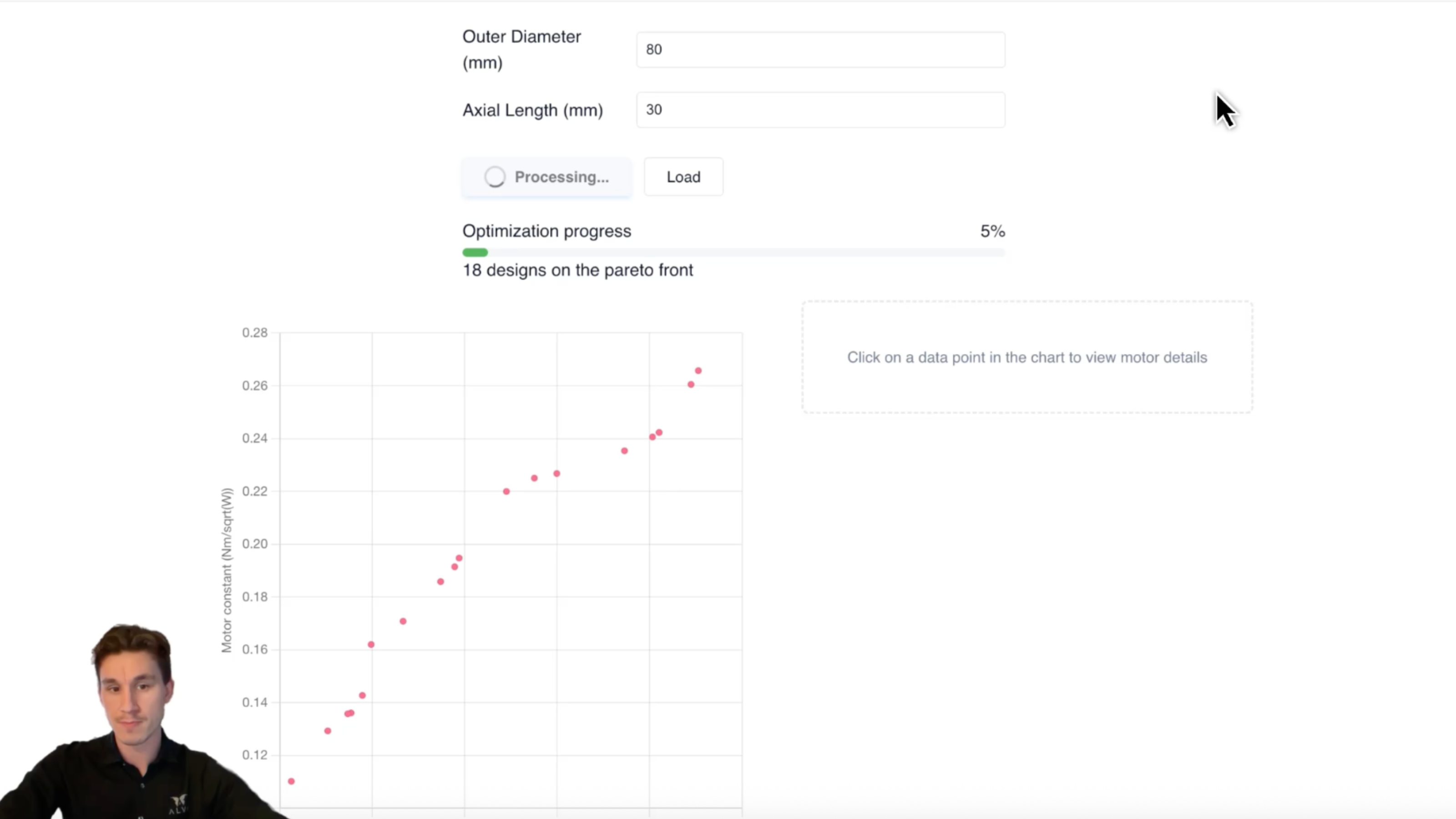
To begin, navigate to Create Motors. TorqStudio requires only two input parameters:
- Outer diameter of the motor
- Axial length of the motor
These dimensions define the physical envelope of the frameless motor. For example, you may specify an 80 mm outer diameter and a 30 mm axial length.
Once these values are entered, click Optimize.
Automatic Design Generation
TorqStudio uses analytical motor models developed entirely by Alva to generate thousands of possible motor designs that meet the specified constraints. Because the models are analytical rather than finite-element-based, calculations are performed extremely quickly.
From this large design space, TorqStudio automatically selects and presents only the most efficient solutions. Efficiency here is evaluated based on the relationship between motor constant and motor mass.
The results are displayed as a trade-off plot where:
- The y-axis represents motor constant
- The x-axis represents motor mass
The plotted points form an optimized frontier of designs. Typically, TorqStudio presents between 100 and 150 candidate motors. Each point represents a complete motor design that can be manufactured.
Selecting and Saving a Motor Design
You can select any design directly from the plot based on your priorities. For example, you may choose a design that stays below a specific mass limit.
Once selected, TorqStudio displays detailed motor specifications, including:
- Outer diameter and axial length
- Torque constant
- Resistance
- Motor constant
- Motor mass
If the design meets your requirements, you can save it to your design database. All available stator winding configurations are stored automatically, allowing you to choose the most suitable configuration later during analysis.
Saved designs can be named for easy identification and reused throughout the platform.
2. Analyze Motors - Evaluating Performance
The Analyze Motors module allows you to evaluate how a motor behaves under real operating conditions.
Select a Motor Design
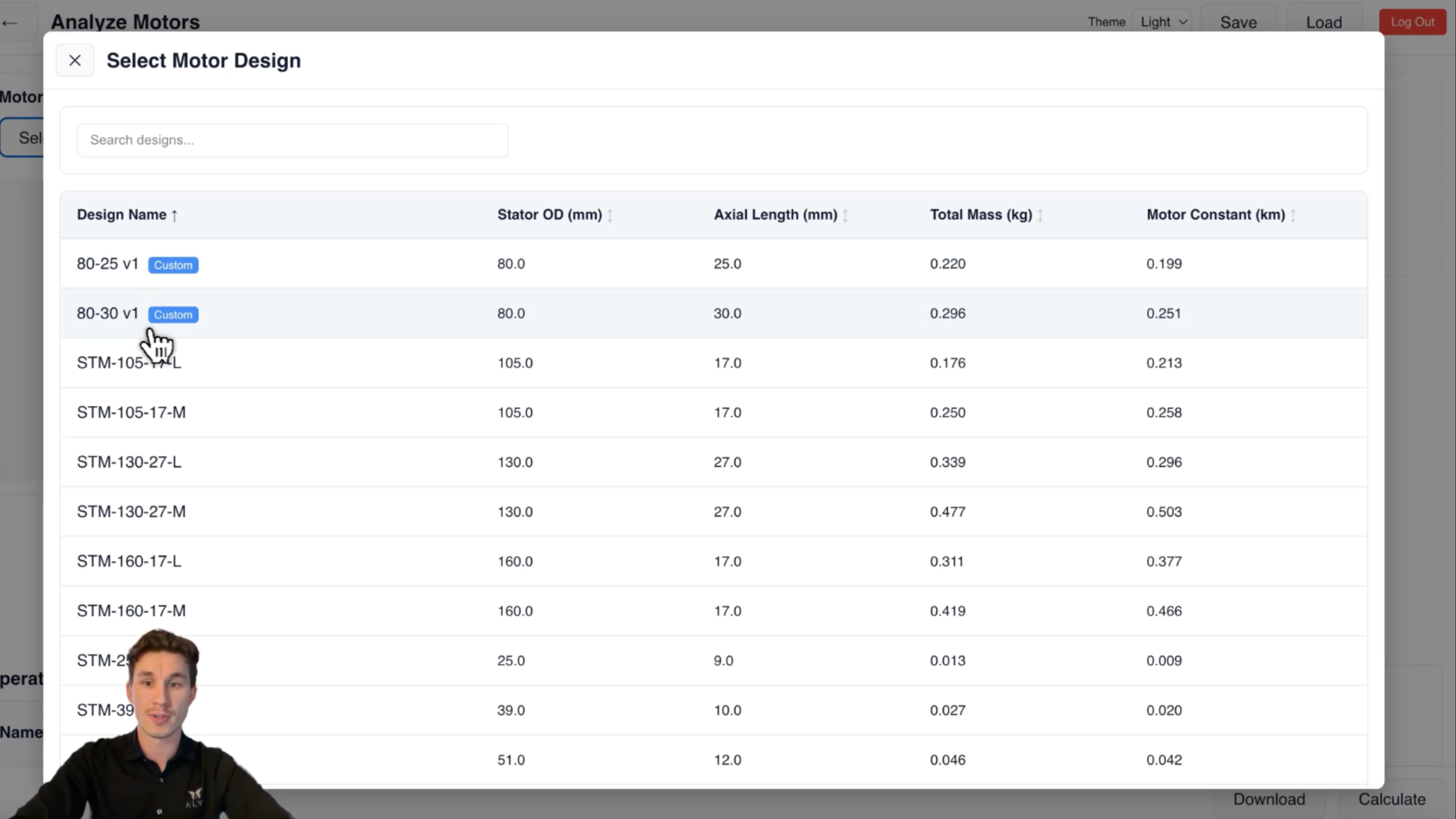
When entering the analysis module, you can choose between:
- Custom motor designs you have created
- Standard Alva motors from the product portfolio
After selecting a motor, you choose the stator winding configuration that best matches your application. For example, a gimbal application may favor a configuration with a high torque constant and lower speed capability.
Define Electrical and Thermal Conditions
Next, define the operating environment:
- Supply voltage
- Ambient temperature
- Optional resistance or inductance between the motor and the drive
You can also select a cooling preset that represents how the motor is cooled in your application. Presets such as low, mid, or high cooling are provided, with definitions available directly in the interface to help you choose the most appropriate option.
Add Operating Points
Operating points define how the motor will be used. For each operating point, you specify:
- Torque
- Speed
- Driver switching frequency
You can add as many operating points as required. For convenience, operating point data can also be copied directly from tools such as Excel and pasted into TorqStudio. Once all inputs are defined, click Calculate.
Review Analysis Results
TorqStudio calculates the performance of the motor at each operating point and presents the results visually and numerically.
A speed-torque map shows the operating limits of the motor at the specified supply voltage. The map includes:
- Cold and hot operating boundaries
- Continuous torque limits
- Peak torque limits for different time durations
- Clearly marked operating points
As long as the operating points lie within these boundaries, the motor can achieve the desired performance under the given conditions.
Detailed output data is provided for each operating point, including:
- Mechanical and electrical power
- Duty cycle
- DC and AC currents
- Electrical losses and efficiency
- Stator and rotor temperatures
TorqStudio also displays the current waveform seen by the motor, including fundamental current, ripple current, total RMS current, and peak current. This information is particularly useful when selecting a suitable motor drive.
Exporting Results
If the results meet your requirements, you can download a complete report. The exported Excel file includes:
- Motor specifications
- Defined operating points
- All calculated performance results
This makes it easy to document decisions, share results internally, or continue analysis outside TorqStudio.
3. Design Database - Managing Motors and Requests
The Design Database provides a centralized overview of:
- All custom motor designs you have created
- All standard motors offered by Alva
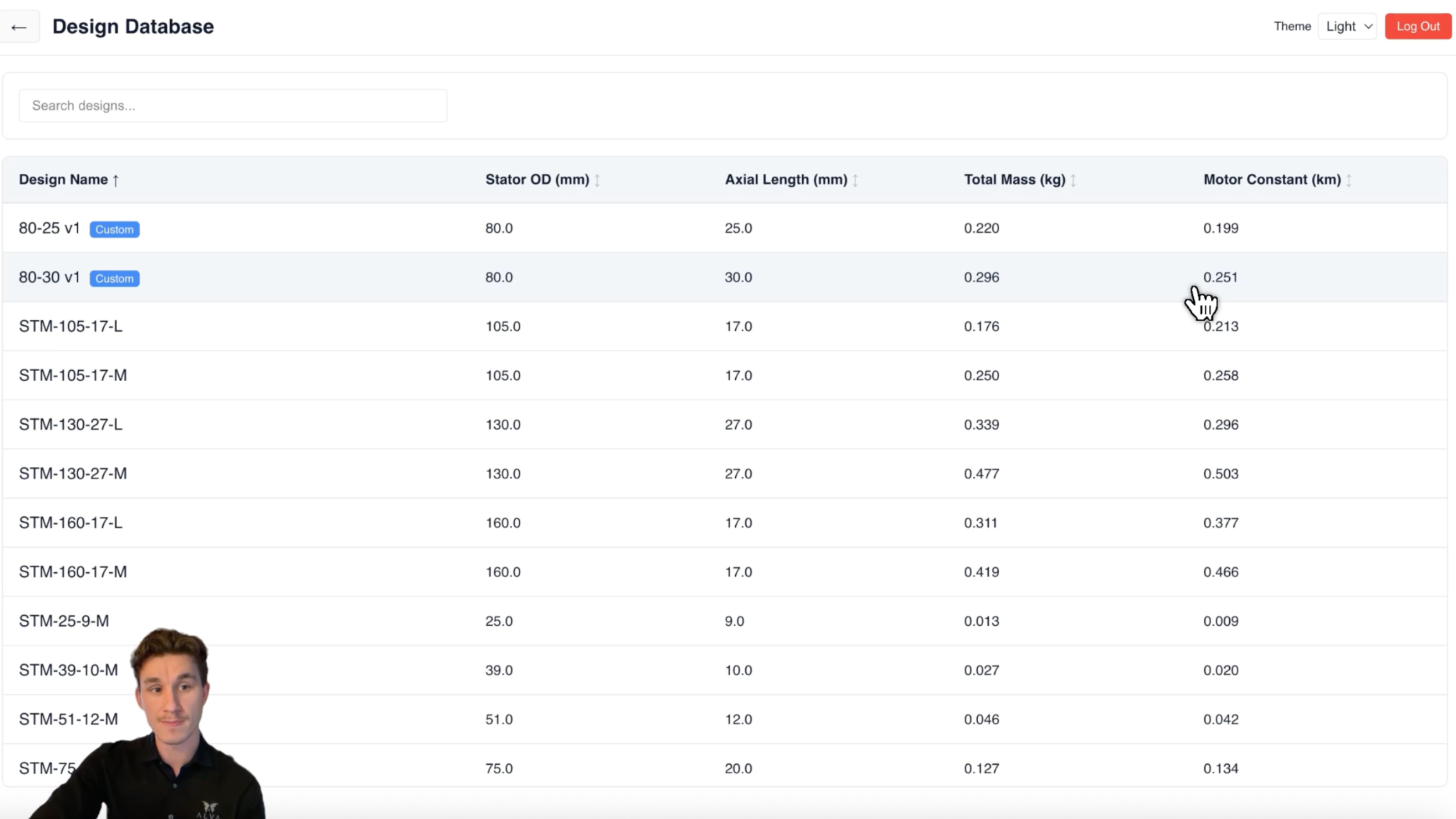
From the database, you can:
- Review full motor specifications
- Reopen designs for further analysis
- Download datasheets
If you identify a motor - custom or standard - that fits your needs, you can submit a request for quotation directly from TorqStudio. The request is sent to Alva’s sales team, who will follow up to discuss availability, customization, or next steps.
For more information or to request access to TorqStudio, visit: https://torqstudio.alvaindustries.com/login

All rights reserved ©2026